
How do I find my Facebook Pixel ID?
1. Log into your Facebook Business Manager. Then, in the left-hand menu options, click “All tools.”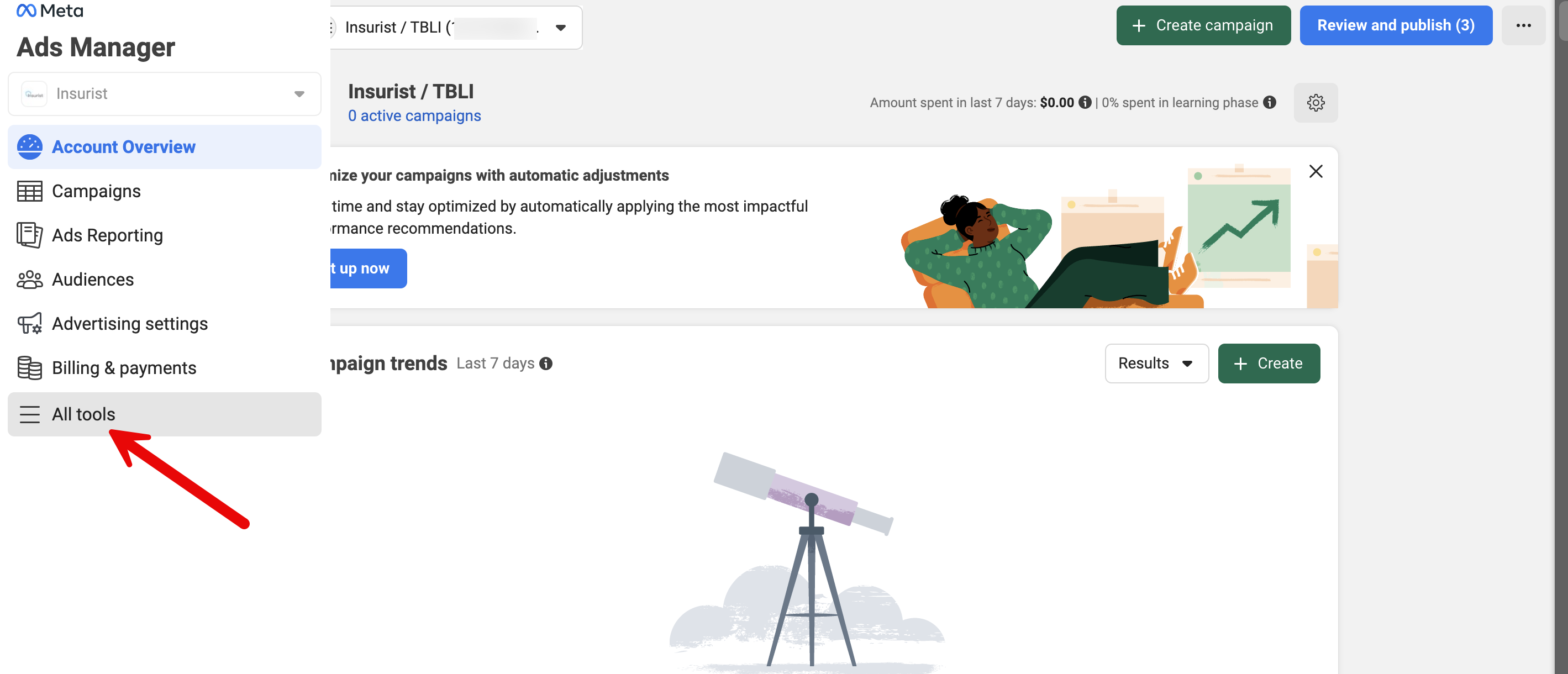
2. On the pop-up menu page, scroll down to the “Events Manager.” A new page will pop up - this is the hub of all your events.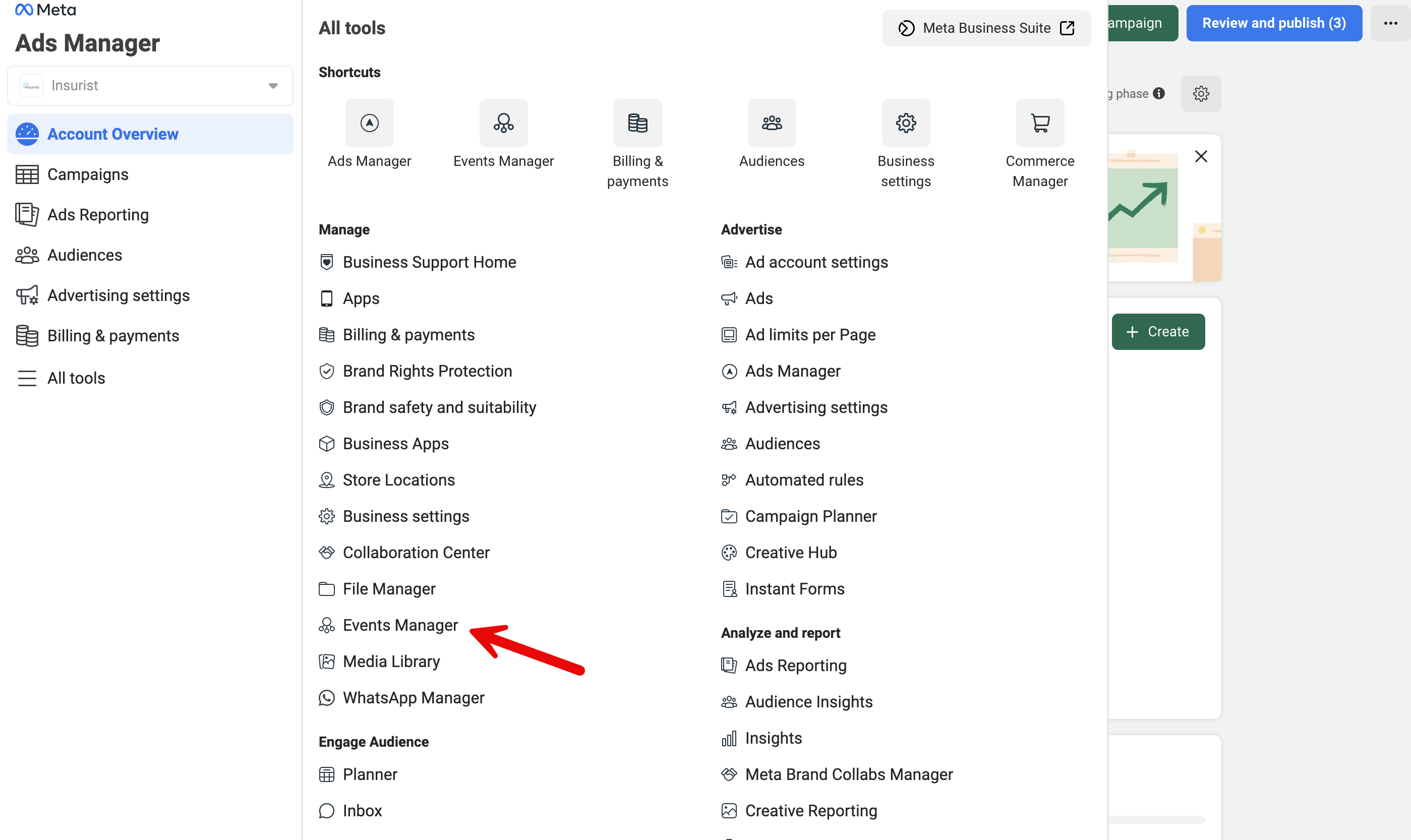
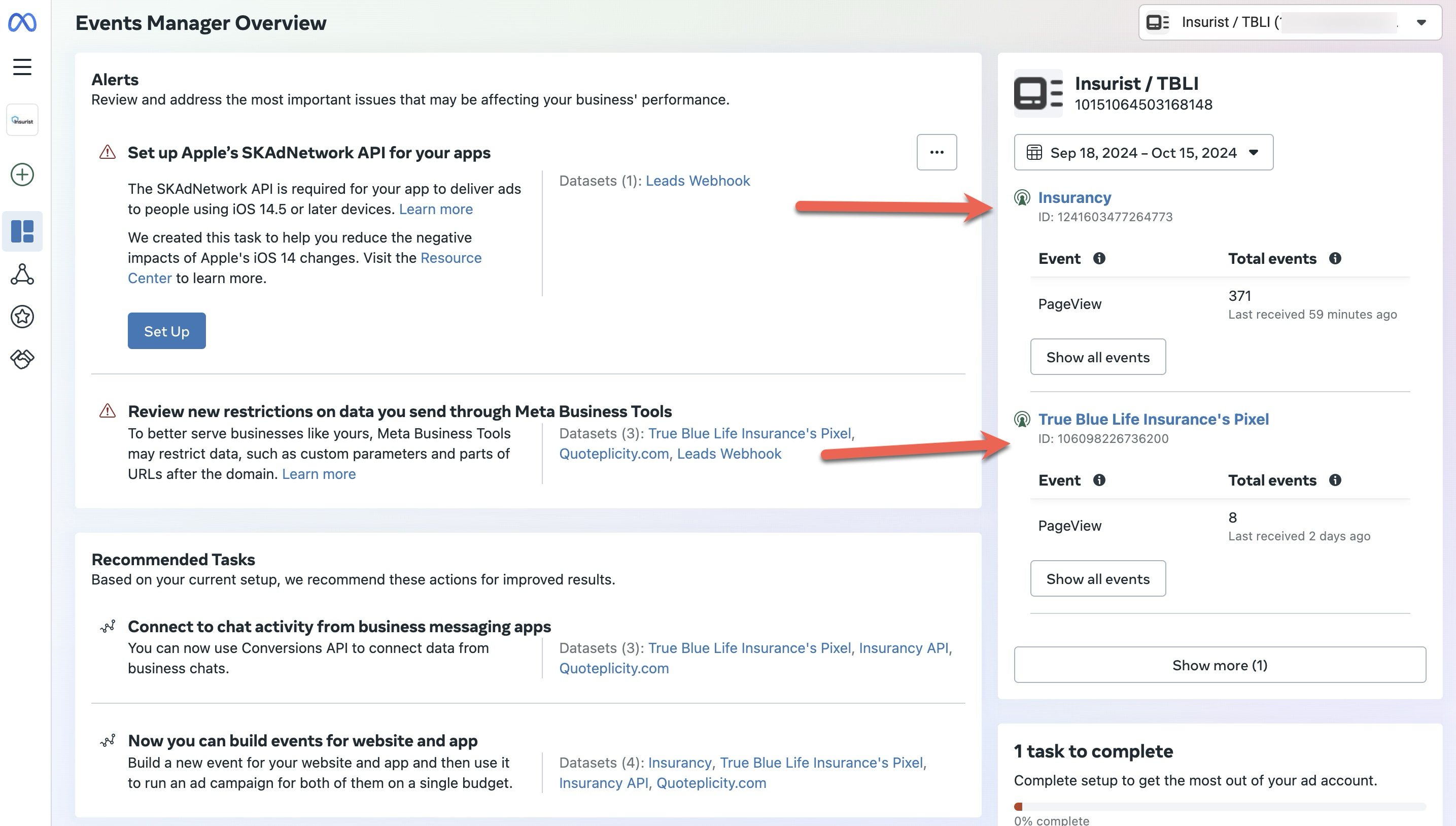
3. In the Events Manager, you should see all your data sources and new Pixels. Under the Pixel name is the Facebook Pixel ID number you’ve been looking for.
What to Do If You Don’t Have a Facebook Pixel ID:
Follow the instructions for creating and configuring your account: